
Does Pro Tools have Autotune built in? No, and that is the gap that surprises vocal producers more than any other. Pro Tools ships no pitch correction plugin of its own.
The workaround options are strong though. Auto-Tune runs as an AAX plugin, Melodyne works through ARA, and a hidden native tool called Elastic Pitch does manual note editing. This article covers each route and what it costs.
Key Takeaways
- Pro Tools has no built-in Auto-Tune or pitch correction plugin.
- Elastic Pitch is the native manual pitch editor, free and already installed.
- Antares Auto-Tune installs as an AAX plugin on any insert.
- Melodyne integrates through ARA 2, supported since Pro Tools 2020.3.
- MAutoPitch is the best free option, and it ships in AAX format.
Pro Tools pitch options at a glance
| Option | Type | What it does |
|---|---|---|
| Elastic Pitch | Built-in tool | Manual note-by-note pitch editing on monophonic audio |
| Auto-Tune Access or Pro | AAX plugin | Real-time correction and the classic effect |
| Melodyne | ARA 2 plugin | Graphical editor integrated inline with the timeline |
| Waves Tune Real-Time | AAX plugin | Light real-time tuner with a simple interface |
| MAutoPitch | Free AAX plugin | Solid correction and formant shifting at no cost |
Does Pro Tools have Autotune? The direct answer
Auto-Tune is an Antares product, and Avid does not bundle it. Pro Tools also ships no Melodyne-style editor, which makes it the odd one out against Cubase and Logic.
That leaves plugins and one native workaround. The sections below walk through all of them, starting with the free tool you already own.
1. Elastic Pitch: the hidden native tool
Elastic Pitch is part of Elastic Audio, and it is the closest thing to built-in pitch correction in Pro Tools. It works on monophonic audio like vocals and bass lines.
Enable Elastic Pitch on the track, then open the Elastic Properties window. Each note appears as a box, and you drag the box to change its pitch, just like a simplified Melodyne.
It is manual work, so it is slower than Auto-Tune on a full vocal. But it is free, it never leaves the session, and it handles small corrections cleanly.
Pro tip
Keep the original take on a second track before you touch Elastic Pitch. Dragging note boxes is easy to overdo, and having the clean take to compare keeps your corrections honest.
2. Auto-Tune as an AAX plugin
Antares offers several Auto-Tune versions, and all of them install into Pro Tools in AAX form. The Access tier covers the classic effect, and Pro adds the graphical editor and ARA.
Install the AAX version with Pro Tools closed, then open the insert list on a vocal track. Auto-Tune appears under the Pitch Correction category, ready to use.
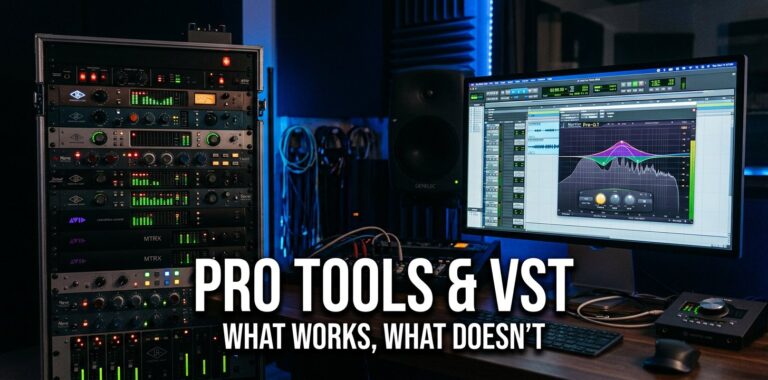
If you are new to the AAX format rules, does Pro Tools work with VST explains why AAX is the only format that loads.
3. Melodyne through ARA 2
Celemony Melodyne is the standard for transparent vocal tuning, and Pro Tools supports it through ARA 2 since version 2020.3. ARA lets Melodyne read the session audio directly.
Add Melodyne to the vocal track and the editor opens inline. Every note shows as a blob you can drag, stretch, and snap to a scale, with the edits staying tied to the timeline.
That inline workflow is why many engineers call Melodyne the best sounding tuner in Pro Tools, even at its price.
4. Free options that work in Pro Tools
MAutoPitch by MeldaProduction is the standout free choice, because it ships in AAX. It corrects pitch in real time, adds formant control, and installs like any other plugin.
Graillon 2 and GSnap are popular free tuners, but they are VST only. Pro Tools cannot load them directly, so you would need a wrapper. The Serum in Pro Tools guide shows the wrapper setup with Blue Cat PatchWork.
Start with MAutoPitch. If it covers your vocals, you have saved a few hundred dollars.
5. How to set up vocal tuning in Pro Tools
Plugin route: add Auto-Tune, MAutoPitch, or Waves Tune to the vocal track insert. Set the song key and scale, then adjust the retune speed. Fast retune gives the hard effect, slow retune sounds natural.
Melodyne route: add Melodyne with ARA and let it analyze the take. Drag the note blobs that are off pitch, then snap the rest to the scale.
Elastic Pitch route: enable Elastic Pitch on the track and edit note boxes manually. Best for a handful of fixes, not a full vocal.
6. When no plugin will help
Tuning cannot fix a take with clipping, heavy room tone, or harsh sibilance. The correction raises the flaws along with the pitch, and the vocal sounds worse.
Record clean first with a good chain, then tune lightly. The best audio interfaces under $200 fix the input side, and DAW mixing mistakes protects the result.
How I verified these details
This article draws on the Avid documentation, the Antares help center, and the DUC threads where pitch correction gets discussed daily. I checked the ARA support version and the Elastic Pitch workflow against current Pro Tools before writing.
The Antares site confirms the AAX installers, and Celemony documents the ARA integration.
How to avoid pitch correction problems
- Install AAX plugins with Pro Tools closed.
- Record a clean take before tuning anything.
- Set the song key and scale first.
- Keep the original take on a second track.
- Update plugins and Pro Tools together to avoid crashes.
Frequently asked questions
Does Pro Tools have a built-in autotune?
No. Pro Tools ships no pitch correction plugin. The native Elastic Pitch tool does manual note editing, and true autotune comes from AAX plugins like Auto-Tune or MAutoPitch.
Is Elastic Pitch the same as Autotune?
Not quite. Elastic Pitch is a manual editor where you drag note boxes to fix pitch. Auto-Tune corrects in real time and produces the classic hard-tuned effect automatically.
Does Melodyne work with Pro Tools?
Yes. Pro Tools has supported Melodyne through ARA 2 since version 2020.3. The editor works inline with the timeline instead of as a separate transfer.
What is the best free autotune for Pro Tools?
MAutoPitch is the reliable free option because it ships in AAX. Graillon 2 and GSnap are VST only, so they need a wrapper to run inside Pro Tools.
Can I use Auto-Tune in Pro Tools?
Yes. Auto-Tune installs as an AAX plugin and appears under Pitch Correction in the insert list. Install it with Pro Tools closed so the scan picks it up.
Why is my vocal plugin not showing up in Pro Tools?
The plugin is probably not AAX, or it was installed while Pro Tools ran. Install the AAX version with Pro Tools closed, then rescan from the Playback Engine with Shift held down.
That’s It for Now
Pro Tools and Autotune is a plugin story, not a built-in one. Elastic Pitch covers small manual fixes for free, and Auto-Tune or Melodyne handle the real work.
Start with Elastic Pitch and MAutoPitch, then upgrade to a paid tuner when the free tools limit you. Does Pro Tools have Autotune built in? No, but the working setup above covers every level.
If you need more help:
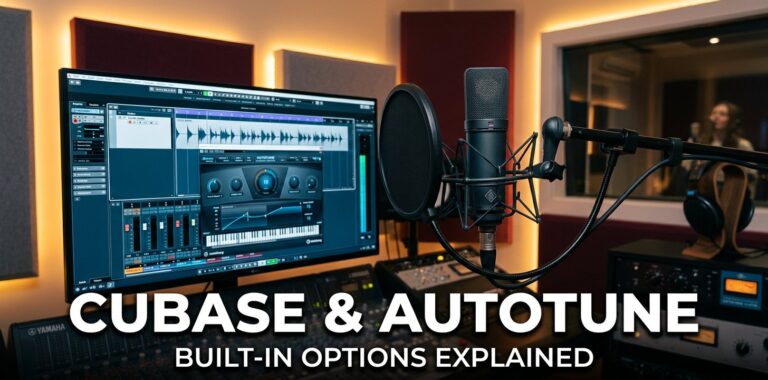
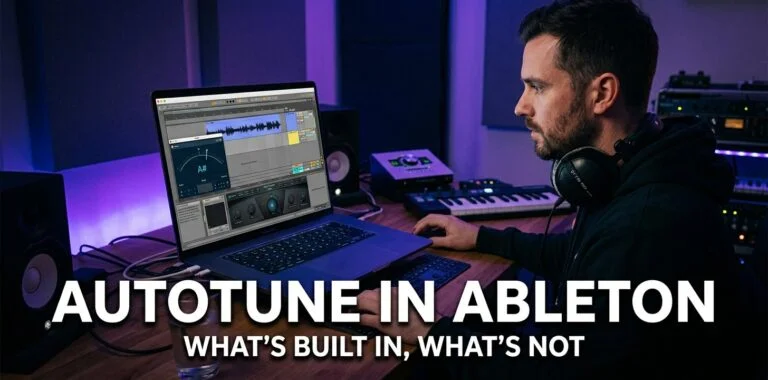
The same question comes up in other DAWs. Does Cubase have autotune covers VariAudio and Pitch Correct, and does Ableton Live have autotune explains the Auto Shift situation.
For Pro Tools itself, Pro Tools common problems covers crashes and errors. Does Pro Tools work with VST explains the AAX format rules, and free VST plugins shows what else you can add. The full answer to does Pro Tools have Autotune sits in the sections above.