
Let’s face it: not everyone has a pro budget to go after the serious DAWs like Logic and Cubase. But this shouldn’t deter anyone from making professional tracks. I’ve tried out some free DAWs that can make even the most expensive software seem amateur.
I’ve noticed that it’s not exactly about the software you use, but how you can convey your ideas into the DAW. It’s one of the core points in our guide to the best DAWs for home studios.
With that, let’s start our list of free DAWs for this year.
Best Free DAWs for Beginners: Quick Comparison (2026)
| DAW | Best For | OS Support | Track Limit | VST Support | Truly Free? |
|---|---|---|---|---|---|
| Cakewalk | Full studio recording (Windows) | Windows 10/11 | Unlimited | VST2, VST3 | Yes, 100% free |
| GarageBand | Mac beginners, podcasting | macOS, iOS | 255 tracks | Audio Units | Yes, pre-installed on Mac |
| Waveform Free | Cross-platform beginners | Windows, macOS, Linux | Unlimited | VST3 | Yes, 100% free |
| LMMS | Beatmaking, electronic music | Windows, macOS, Linux | Unlimited | VST2 | Yes, open-source |
| Reaper | Recording + mixing (60-day trial) | Windows, macOS, Linux | Unlimited | VST2, VST3 | 60-day unrestricted trial |
| BandLab | Online collaboration, beginners | Browser, iOS, Android | Unlimited | No VST | Yes, 100% free |
| SoundBridge | Modern workflow, Mac/Windows | Windows, macOS | Unlimited | VST2, VST3 | Yes, 100% free |
I’ve personally used or tested each DAW listed here across Windows 11 and macOS. My evaluation covered setup time, learning curve for complete beginners, built-in sound quality, and stability on a mid-range home studio machine.
Quick Answer
Quick Answer: The best free DAW for beginners on Mac is GarageBand due to its intuitive layout and built-in instrument library. For Windows users, Cakewalk offers a full pro-grade recording environment for free, while Waveform Free is the best cross-platform option for Windows, Mac, and Linux.
Key Takeaways
- Free DAWs can produce professional-quality music without spending a dime
- Your creativity and workflow matter more than expensive software
- Most free DAWs include enough features to take you from beginner to intermediate level
- Trial versions let you test-drive before committing to any platform
Here’s a quick comparison table for you:
Quick Comparison: Best Free DAWs at a Glance
| DAW | Best For | Platform | Learning Curve | Key Strength |
|---|---|---|---|---|
| Reaper | All-around production | Windows, Mac, Linux | Moderate | Unlimited customization |
| Cakewalk | Recording & mixing | Windows only | Easy | Professional-grade features |
| GarageBand | Mac users & beginners | Mac, iOS | Very Easy | Intuitive Apple integration |
| Tracktion T7 | Fast workflow | Windows, Mac, Linux | Moderate | Single-screen interface |
| Ardour | Live recording | Windows, Mac, Linux | Steep | Audio recording precision |
| LMMS | Electronic music | Windows, Mac, Linux | Easy | Pattern-based beatmaking |
| SoundBridge | Collaboration | Windows, Mac | Very Easy | Cloud storage & modern UI |
Reaper (Unlimited Free Trial)
Reaper sits in a unique spot. It’s technically not free, but the trial never expires. You’ll see a reminder screen asking you to purchase, but you can keep using it indefinitely.
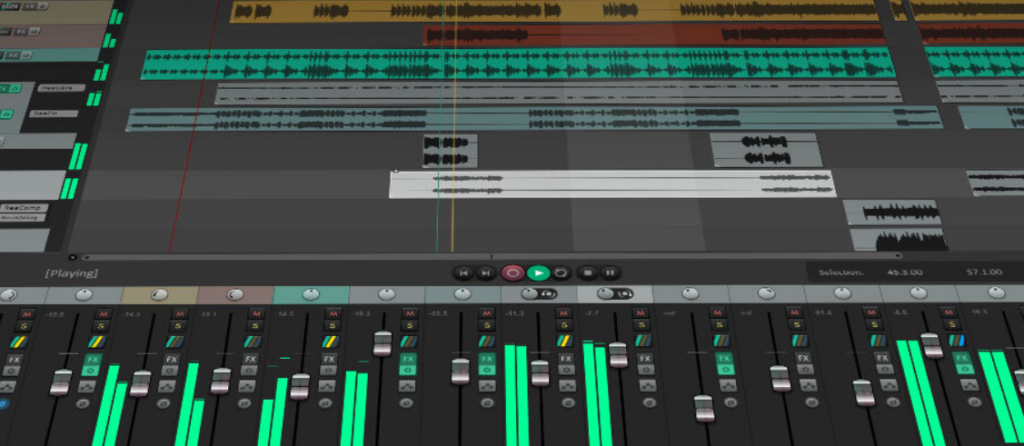
I’ve used Reaper for years and it handles everything I throw at it. The interface looks dated at first glance, but don’t let that fool you. Under the hood, this DAW packs serious power.
What makes Reaper stand out:
| Feature | Details |
|---|---|
| Customization | Change literally everything about the interface |
| CPU Efficiency | Runs smoothly even on older computers |
| File Formats | Supports almost every audio format you can think of |
| Updates | Regular improvements and bug fixes |
The learning curve is steeper than some alternatives. You’ll need to invest time in tutorials. But once you get comfortable, Reaper becomes incredibly fast to work with.
Cakewalk by BandLab
Cakewalk used to cost hundreds of dollars. BandLab bought it and made it completely free. No catch, no limitations, just professional-grade software at zero cost.
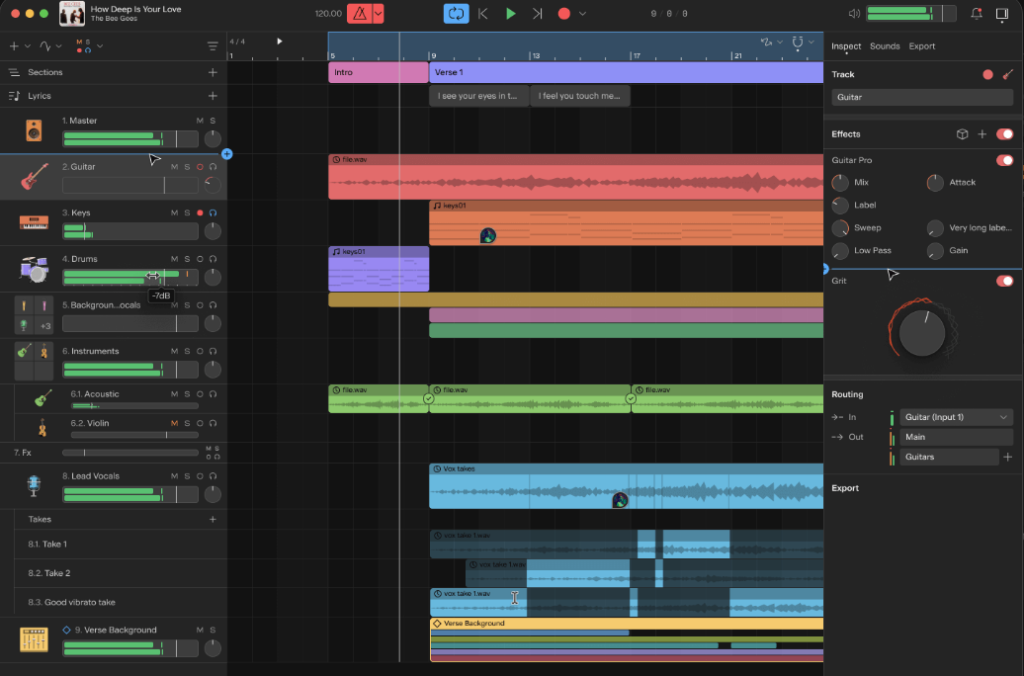
My first major project on Cakewalk felt like using premium software. The stock plugins sound great. The MIDI editing is intuitive.
The mixing console looks and feels professional.
You get unlimited audio and MIDI tracks. The included virtual instruments cover most basic needs. Drums, synths, pianos. They all sound decent enough for your first productions.
Cakewalk excels at:
- Traditional recording workflows
- MIDI composition and editing
- Built-in mastering tools
- Professional mixing console
The only downside? It’s Windows only. Mac users need to look elsewhere.
GarageBand: The Gateway For Mac Users
GarageBand is often underestimated because it comes free with macOS and iOS devices. Yet it’s one of the most beginner‑friendly DAWs out there.
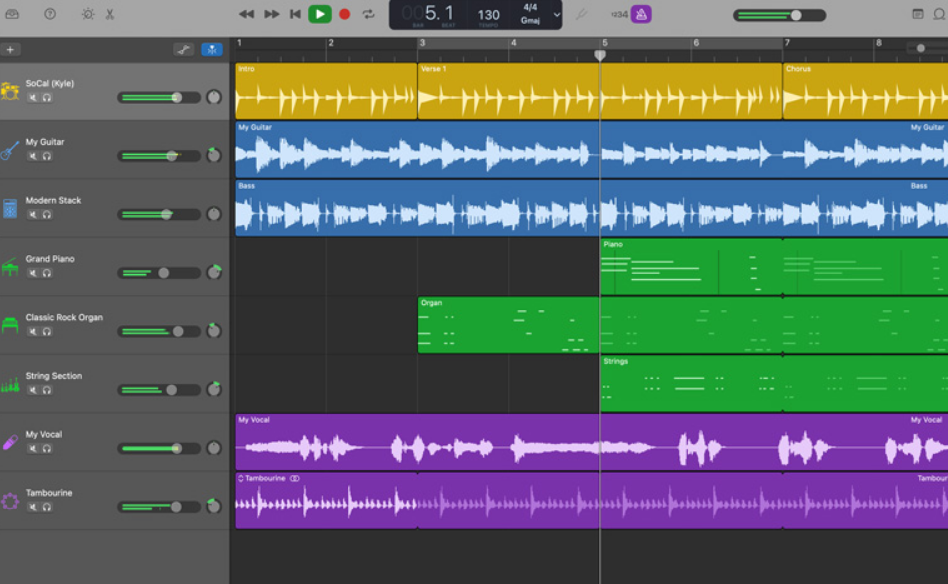
Why it works:
- Clean interface that doesn’t overwhelm beginners.
- Huge library of loops and instruments.
- Seamless integration with iPhone and iPad.
I started with GarageBand on my old MacBook, and within an hour I had layered drums, bass, and a guitar riff. It felt like magic.
The drag‑and‑drop workflow makes it easy to experiment. You can record vocals, plug in a guitar, or even use the built‑in virtual drummer to add rhythm.
GarageBand also connects directly to Logic Pro, so if you ever upgrade, your projects transfer smoothly.
For anyone who owns an Apple device, GarageBand is the easiest way to start producing music without spending a cent.
Waveform Free (Formerly Tracktion T7)
Waveform Free (formerly known as Tracktion T7) is permanently free with no restrictions. The company wants you to try their workflow before upgrading to newer paid versions.
The single-screen interface confused me at first. Most DAWs split everything into multiple windows. Waveform Free puts it all on one page. Tracks, mixer, effects, everything visible at once.
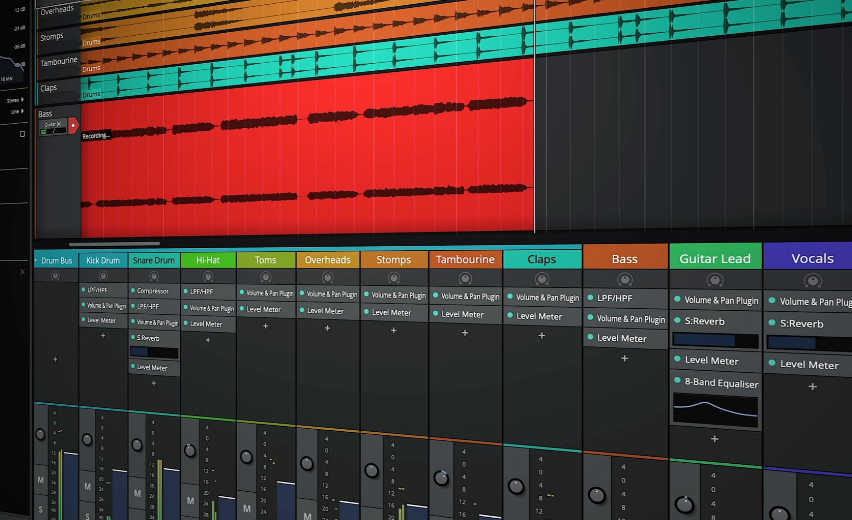
This approach actually speeds up your workflow once you adjust. And because it’s so regularly updated, it’s actually one of the best free DAWs for beginners.
No hunting through menus or switching windows, just scroll and find what you need.
Waveform Free includes:
- Unlimited audio and MIDI tracks
- Built-in instruments and effects
- Automation on every parameter
- Cross-platform support (Windows, Mac, Linux)
The plugin collection is basic but functional. You’ll want to add third-party VSTs eventually.
But for learning production fundamentals, the included tools work fine. It’s far better to master a simple toolkit than get overwhelmed by endless options.
Ardour
Ardour is open-source and truly free. No trial periods, no upgrade nags, just pure freedom.
I’ll be honest. Ardour has the steepest learning curve on this list. The interface prioritizes function over flash. You need to read the manual and watch tutorials.
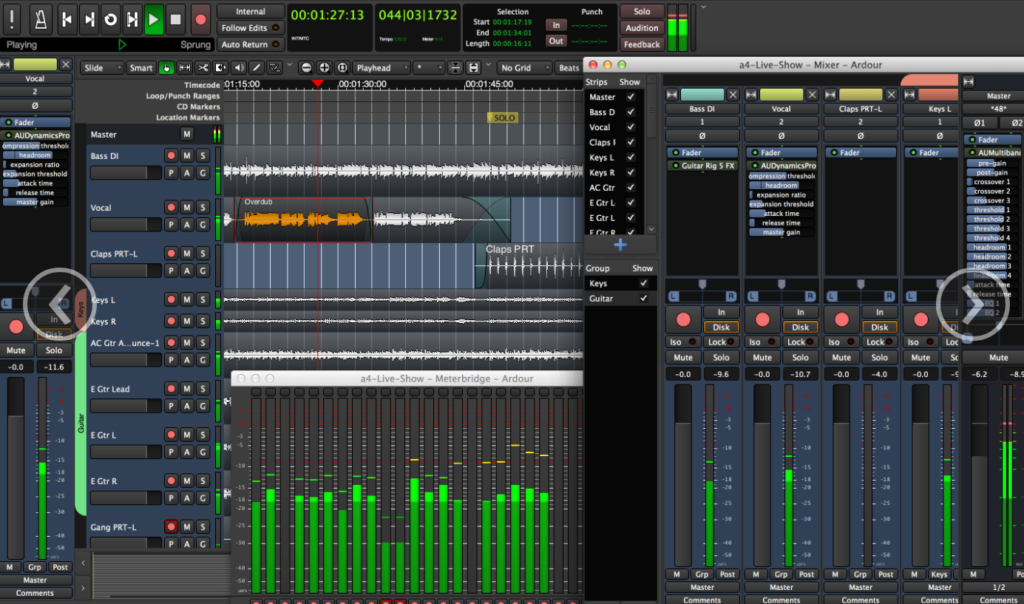
But for recording and mixing, Ardour rivals paid alternatives. The audio engine is rock solid. Editing is precise and flexible. Mixing tools are professional-grade.
Musicians recording live instruments love Ardour. The latency is minimal. The recording workflow is straightforward. The editing tools handle complex takes easily.
Ardour shines for:
- Multi-track recording
- Audio editing and comping
- Mixing with precision
- Linux users (though it works on Mac and Windows too)
The MIDI features lag behind other DAWs. If you’re making electronic music heavy on virtual instruments, consider other options first.
LMMS (Linux MultiMedia Studio)
LMMS targets electronic music producers specifically. Think FL Studio but completely free and open-source.
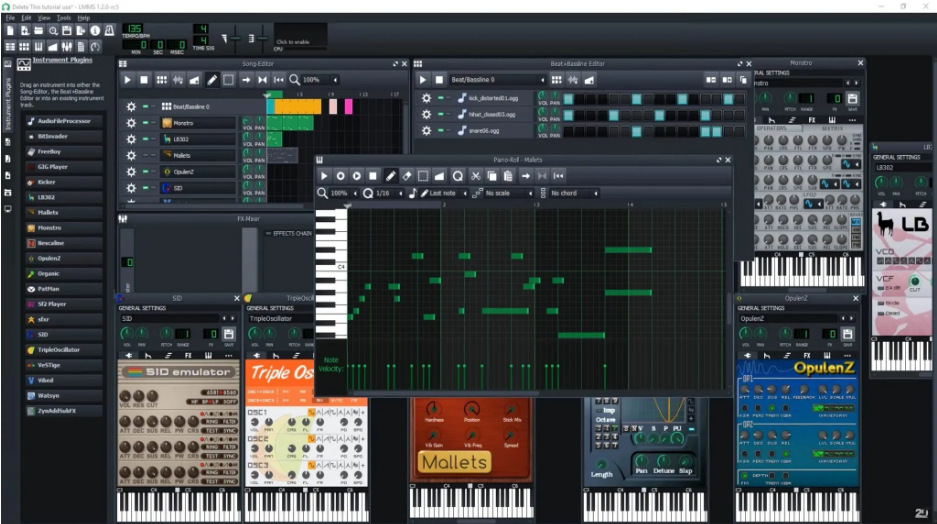
The pattern-based workflow feels natural for making beats. Create a drum pattern, a bass line, a melody. Arrange them in the song editor. Export and share. When you want to move a melody into a different key, the interactive circle of fifths makes it easy to see.
I’ve made dozens of quick beat sketches in LMMS. The workflow is fast once you understand patterns versus tracks. The included instruments sound surprisingly good for free software.
LMMS offers:
- Pattern-based composition
- Built-in synthesizers and samplers
- MIDI controller support
- Cross-platform compatibility
The mixing capabilities are limited compared to recording-focused DAWs. But for beatmaking and electronic production, LMMS delivers solid results.
SoundBridge
SoundBridge is the newest entry in the free DAW space. The company released it recently as a competitor to GarageBand.
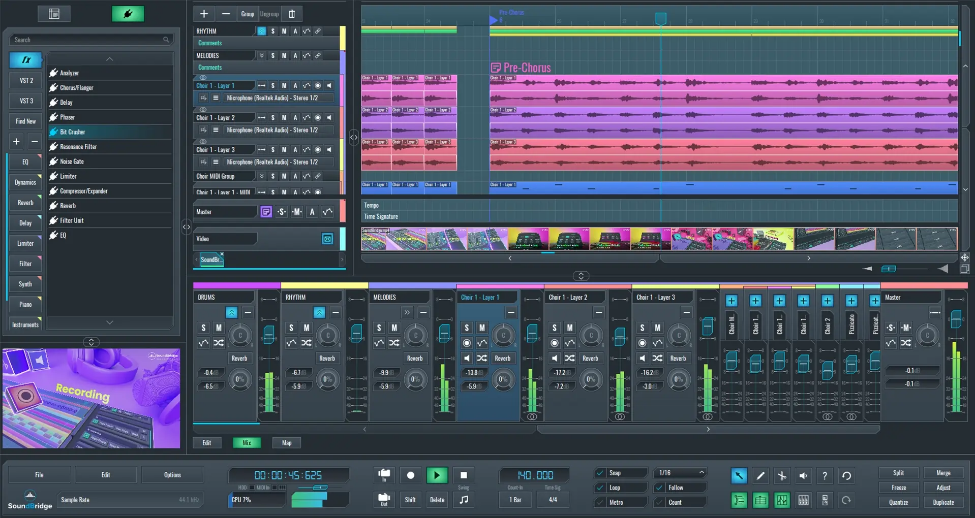
The interface is modern and clean. Everything feels intuitive from the first launch. The included sounds library is impressive for free software.
I tested SoundBridge for a month on various projects. The stability surprised me. No crashes, no bugs, just smooth operation. The export quality matches any paid DAW.
Cloud storage integration is built in. Save your projects online and access them from any device. Collaboration features let you work with other producers remotely.
System Requirements For Popular Free DAWs
| DAW | Minimum RAM | CPU | Storage Needed | OS Support |
|---|---|---|---|---|
| Reaper | 4 GB | Intel Core i5 or equivalent | ~1 GB | Windows 10/11, macOS 10.5+, Linux (x86/ARM) |
| Cakewalk | 16 GB | 8‑core CPU or ARM64 | 5 GB (20 GB recommended) | Windows 10/11 |
| GarageBand | 4 GB | Apple Silicon or Intel i5 | 3 GB | macOS, iOS |
| Tracktion T7 (Waveform Free) | 4 GB | Intel i3 or better | 2 GB | Windows, macOS, Linux |
| Ardour | 2 GB (more recommended) | Any 64‑bit x86/ARM CPU | 380 MB (plus recording space) | Windows, macOS, Linux |
| LMMS | 1 GB | 1.5 GHz dual‑core CPU | 100 MB | Windows 7+, macOS X Lion+, Linux |
| SoundBridge | 4 GB | Intel i3 or equivalent | ~2 GB | Windows, macOS |
Final Verdict: Which Free DAW Should You Download?
Some of the above DAWs are great for beginners and novice producers. What matters is how comfortable you are using the software and how fast you can get your ideas in.
I’ve also noticed that YouTube serves as a great starting point for beginner tutorials on any of the above DAWs. Once you get the basics down, you can then start making your tracks in your unique style.
With that said, I recommend downloading a trial version of the DAW you prefer and play around with it to find out if it’s for you. Once comfortable, you can go ahead and purchase the full version and start making your music.
Who Should Skip Free DAWs?
Free DAWs are excellent for 90% of beginners, but there are cases where upgrading makes sense:
- Advanced orchestral composers who need Kontakt-heavy sample libraries and complex multi-output routing should look at Cubase or Logic Pro.
- Live performers needing Ableton Live’s session view for hardware synth looping will find free options limiting.
- Professional mix engineers requiring Pro Tools compatibility for client session handoffs should budget for the real thing.
For everyone else starting out, any of the free DAWs listed above will get you from zero to your first finished track.
What to Do After Choosing Your Free DAW
Once you have downloaded your free DAW, here is how to get the most out of your setup:
- Set up your input correctly: Check out our guide on the best audio interfaces under $200 to get clean recordings from day one.
- Pick the right microphone: Read our dynamic vs condenser mic guide to choose the right type for your recording style.
- Avoid rookie mistakes: Our DAW mixing mistakes guide covers the most common pitfalls new producers face.
- Get free plugins: Expand your sound immediately with our curated list of the best free VST plugins.
- Upgrade your knowledge: Learn the critical DAW settings to change before you record your first track.
Frequently Asked Questions (FAQ)
What is the easiest free DAW to use for beginners?
GarageBand is the easiest free DAW for beginners on Mac, featuring drag-and-drop loops and simple controls. For Windows 10/11 users, BandLab and Waveform Free offer the simplest learning curve without complex setup menus.
Are there any good free DAWs for Windows 11?
Yes, Cakewalk by BandLab and Waveform Free are outstanding free DAWs for Windows 11. Both support third-party VST plugins, unlimited tracks, and 64-bit audio engines.
Can you make professional music on a free DAW?
Absolutely. Free DAWs use the exact same 32-bit and 64-bit audio rendering engines as paid software. Your recording quality depends far more on your audio interface, microphone, and mixing technique than the price of the software.
What is the best free DAW for beatmaking?
LMMS is the top free DAW for beatmakers and electronic music producers. Its pattern-based step sequencer and built-in sampler mirror FL Studio’s famous workflow.