
As producers, we all know that certain software is suitable for specific genres. I mean sure, you can use a guitar amp effect on your beat, but is it really the best use of the effect? Our best DAWs for home studios roundup breaks this down by use case.
Coming to the overall DAW you use, we see the same dilemma. Can any DAW be used for any genre?
We’ve done some research and think that even though a DAW can make any type of music, it is not always the best software for a specific genre.
Let’s get into it and find out which DAW is suitable for which genre.
Key Takeaways
- Your genre should guide your DAW choice, not trends or hype
- Workflow matters more than features you may never use
- Most DAWs can handle any genre, but some make life easier
- Knowing your DAW deeply beats switching tools constantly
Why Genre Matters When Choosing a DAW
Let’s be honest. Most DAWs can technically do the same things. Record audio. Edit MIDI. Add effects. Export tracks.
The difference shows up in how fast you can work.
Some DAWs feel like a blank canvas. Others feel like a finely tuned tool built for a specific style. That matters more than people admit.
I’ve worked in multiple DAWs over the years. Every time I switched genres, my workflow either sped up or slowed down instantly. That was the signal.
What Genre-Specific Workflow Really Means
A DAW tailored to your genre usually offers:
- Faster access to common tools you use daily
- Stock plugins that match your sound style
- Layouts that support how you build tracks
That can mean the difference between finishing songs and abandoning projects.
| DAW | Best For | Key Strength |
|---|---|---|
| Ableton Live | Electronic, EDM, Live Performance | Session view and MIDI capabilities |
| FL Studio | Hip-Hop, Trap, Pop | Intuitive piano roll and beat-making |
| Pro Tools | Recording, Mixing, Post-Production | Industry-standard audio editing |
| Logic Pro | Pop, Rock, Singer-Songwriter | Comprehensive sound library |
Best DAWs for Electronic Music and EDM
Did somebody say Ableton Live? This DAW has become synonymous with electronic music production, and there’s a solid reason behind that reputation.
Ableton’s Session View is a game-changer for electronic producers. It lets you experiment with loops, samples, and ideas in real-time without committing to a linear arrangement.
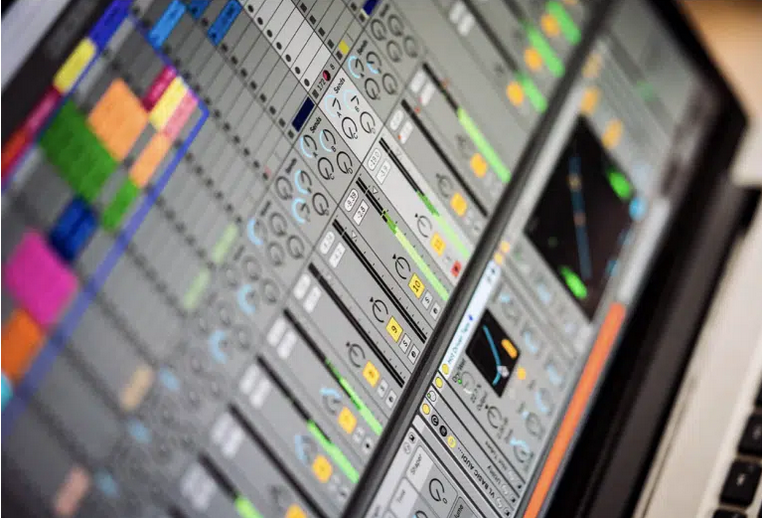
You can trigger clips, test different combinations, and build your track organically. It’s like having a digital playground where creativity flows without boundaries.
Another point to consider is the software’s MIDI capabilities. The MIDI effects and mapping options give you insane control over virtual instruments and hardware.
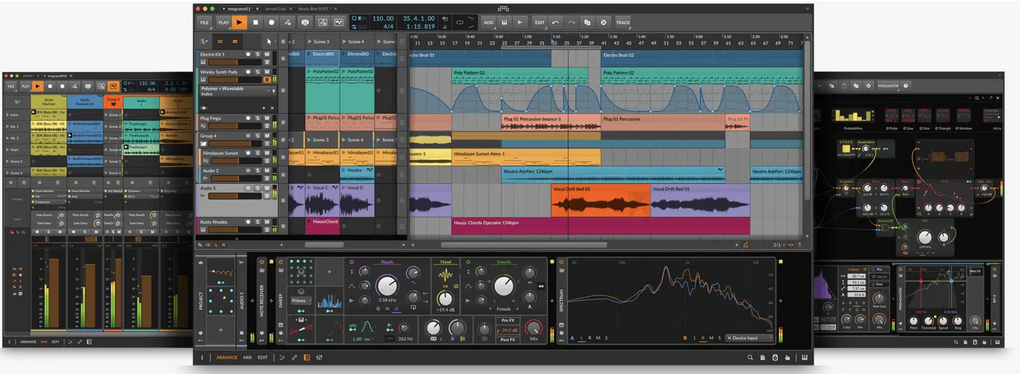
If you’re into modular synthesis or complex sound design, Ableton handles it beautifully.
Why Ableton Live Works So Well
- Clip-based workflow for fast experimentation
- Excellent stock synths and effects
- Built-in tools for live performance
If you produce house, techno, EDM, or experimental electronic music, Ableton Live often feels like the DAW is thinking with you.
FL Studio also deserves mention. Its pattern-based workflow is popular with beat-driven electronic styles.
Best DAWs for Hip-Hop and Beat Making
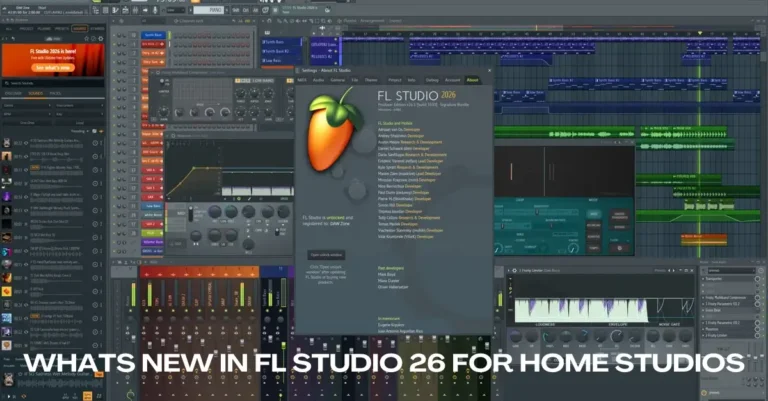
FL Studio has been the secret weapon for hip-hop producers since the early 2000s. Metro Boomin, Southside, and countless other hitmakers swear by it. But what makes it so special for this genre?
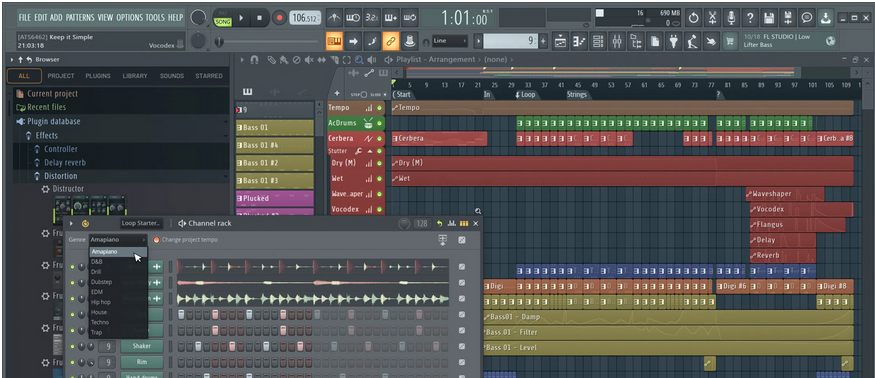
First of all, the piano roll is unmatched. Creating melodies, tweaking velocities, and programming drums feels natural and fast.
Hip-Hop Production Comparison (FL Studio vs. Ableton vs. Logic)
| Feature | FL Studio | Ableton Live | Logic Pro |
|---|---|---|---|
| Piano Roll Quality | Excellent – Industry best for melody creation | Good – Functional but less intuitive | Very Good – Clean and precise |
| Drum Programming | Excellent – Step sequencer is unmatched | Excellent – Drum racks are powerful | Good – Traditional approach |
| Workflow Speed | Very Fast – Quick beat sketching | Fast – Great for experimentation | Moderate – More steps required |
| CPU Efficiency | Good – Can handle heavy plugin use | Very Good – Optimized performance | Excellent – Mac optimization |
| Built-in Sounds | Good – Decent stock plugins | Excellent – High-quality instruments | Excellent – Massive sound library |
| Price | $99 – $499 (one-time, lifetime updates) | $99 – $749 (one-time or subscription) | $199 (one-time, Mac only) |
| Learning Curve | Easy – Beginner-friendly | Moderate – Unique workflow takes time | Moderate – Traditional DAW layout |
| Best For | Trap, hip-hop beats, melody-driven production | Sample-based hip-hop, experimental beats | Polished hip-hop, radio-ready production |
You can sketch out ideas quickly, which is crucial for producers who work with artists in real-time sessions.
The step sequencer is another massive advantage. Programming hi-hats, snares, and kicks becomes second nature.
You can create complex drum patterns with just a few clicks, then humanize them with velocity and timing adjustments.
One of my biggest issues with other DAWs is how tedious drum programming can feel. FL Studio solves this problem elegantly.
The workflow just makes sense for beat-makers who need to pump out multiple tracks in a single session.
Why FL Studio Feels Natural for Beats
- Fast drum sequencing
- Intuitive piano roll
- Lightweight feel for quick ideas
Many hip-hop producers also use Ableton Live or Logic Pro, but FL Studio remains a favorite for a reason.
Best DAWs for Rock, Metal, and Live Bands
Recording bands changes everything. You need stability, clean audio handling, and solid editing tools.
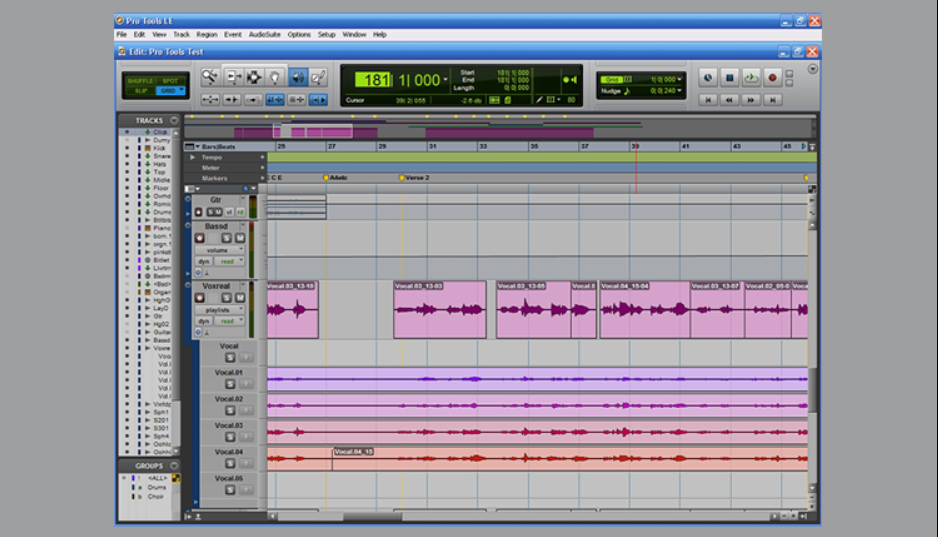
Pro Tools has ruled this space for decades. Studios trust it. Engineers know it. Musicians expect it.
What Makes Pro Tools Stand Out
- Industry-standard audio editing
- Strong multitrack recording workflow
- Trusted in professional studios
That said, Logic Pro and Studio One have become strong alternatives. I’ve tracked full bands in Logic without missing Pro Tools once.
Reaper deserves a shout-out here. It’s incredibly affordable, lightweight, and customizable. Many rock and metal producers love it because it doesn’t bog down your system, even with heavy guitar processing chains.
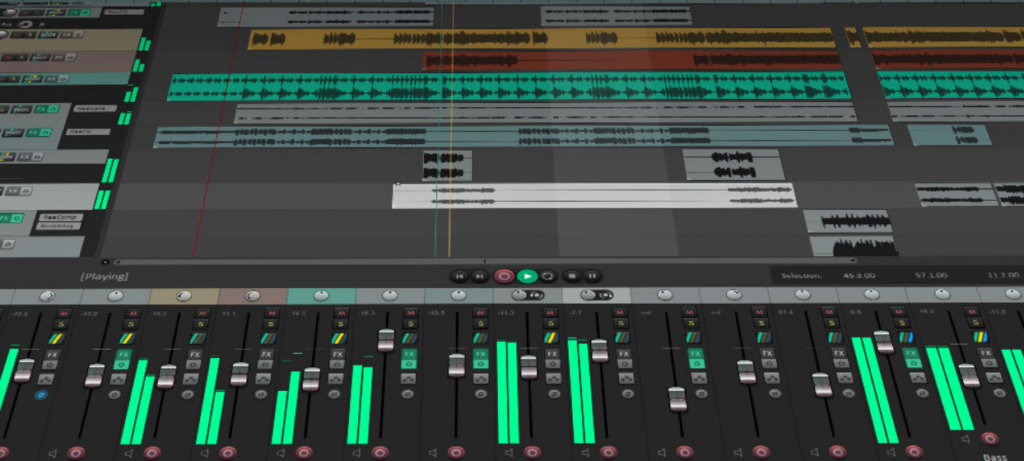
The particular problem for guitar-heavy genres is managing multiple tracks of layered guitars, bass, and drums. You need a DAW that can handle high track counts without glitching or lagging. Reaper excels at this.
Cubase also has a strong following in the rock and metal community. Its MIDI and audio integration is seamless, making it great for bands that mix programmed drums with live guitars.
The chord track feature helps guitarists who want to experiment with different progressions quickly. If you are still figuring out which progressions work together, our interactive circle of fifths is a handy visual aid.
Best DAWs for Singer-Songwriters and Pop
Pop production blends audio and MIDI constantly. You may record vocals one minute and program synths the next.
Logic Pro fits this balance well. Its stock plugins cover songwriting, production, and mixing without extra purchases.
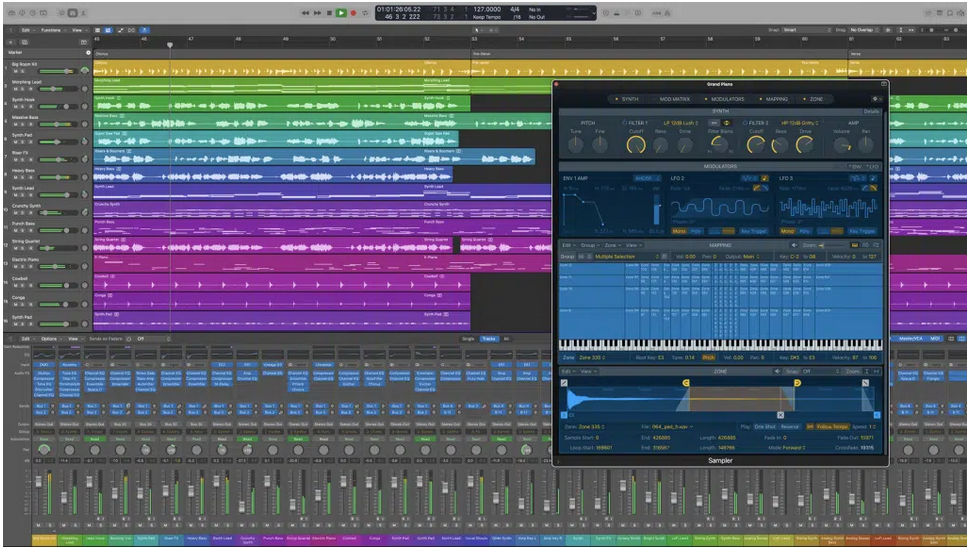
Pro Tools remains the industry standard for recording studios worldwide. Walk into any professional facility, and you’ll likely see it running on their main rig. There’s hardly any competition for serious recording work.
The audio editing tools in Pro Tools are surgical. You can comp vocal takes, tune performances, and clean up recordings with incredible precision.
It’s designed for engineers who need to deliver polished, broadcast-ready results.
Logic Pro offers a compelling alternative, especially for Mac users. It comes with an enormous library of virtual instruments and effects that cover almost every sonic need.
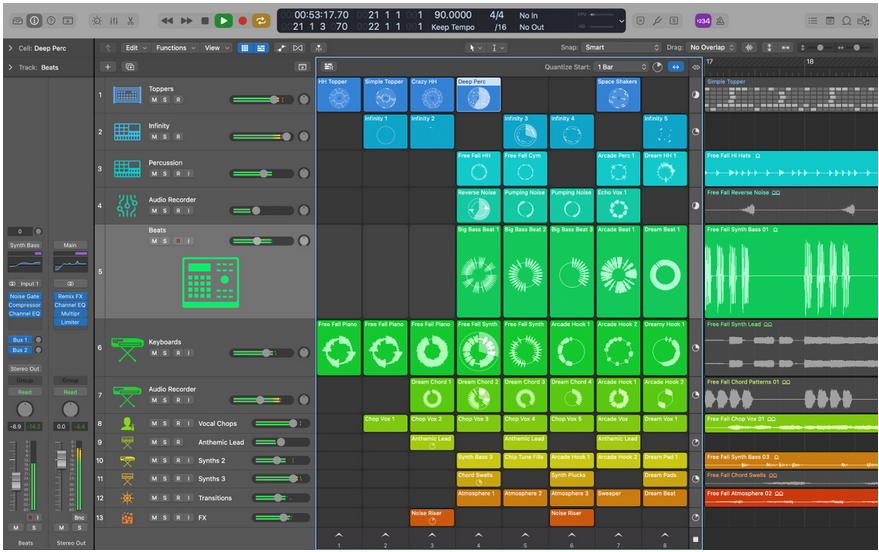
Recording bands, singer-songwriters, or acoustic projects feels smooth and intuitive.
Simply put, Logic gives you more bang for your buck. The built-in sounds are high-quality, the interface is clean, and the learning curve is gentler than Pro Tools.
Why Logic Pro Works for Songwriters
- Excellent stock instruments
- Clean interface
- Affordable one-time purchase
If you like writing and producing in the same session, Logic keeps things smooth.
Best DAWs for Film Scoring and Orchestral Music
Film composers need control. Large templates. Precise MIDI editing and stable performance.
Cubase has earned its reputation here. Many composers rely on it for orchestral mockups and scoring work.
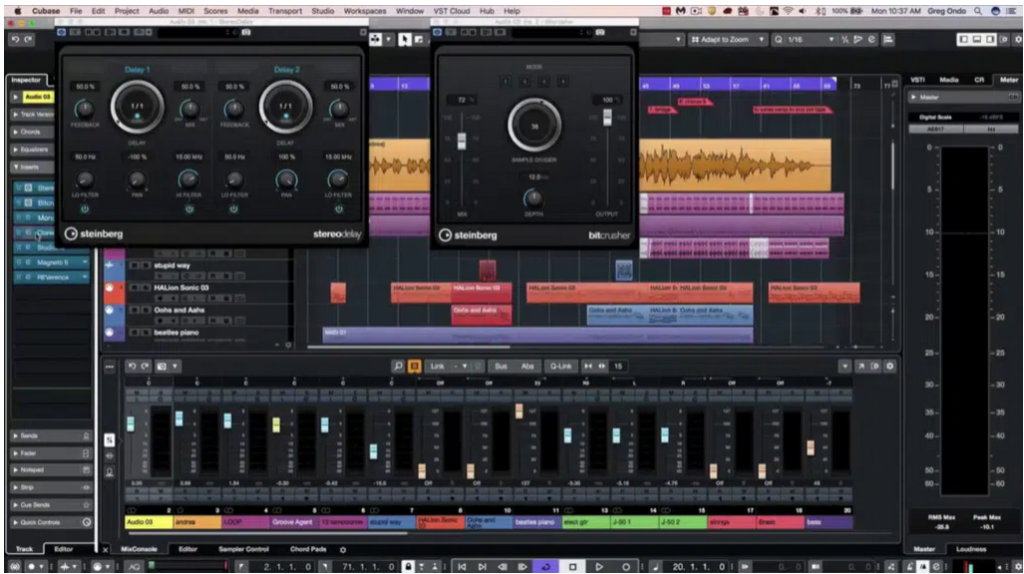
Cubase and Logic Pro often dominate this space. Both offer robust MIDI editing, expression control, and the ability to manage massive orchestral templates without breaking a sweat.
A great way to start is by building a template with your most-used orchestral instruments already loaded.
This saves time and keeps your creative flow uninterrupted. Film composers often work under tight deadlines, so efficiency is everything.
Logic’s Smart Tempo feature is particularly useful for scoring to picture. You can adjust timing and sync music to video cuts without manually calculating tempo changes.
It’s one of those features you didn’t know you needed until you use it.
Why Composers Choose Cubase
- Advanced MIDI tools
- Expression mapping for orchestral libraries
- Strong timing control
I’ve seen massive scoring templates running in Cubase without breaking a sweat.
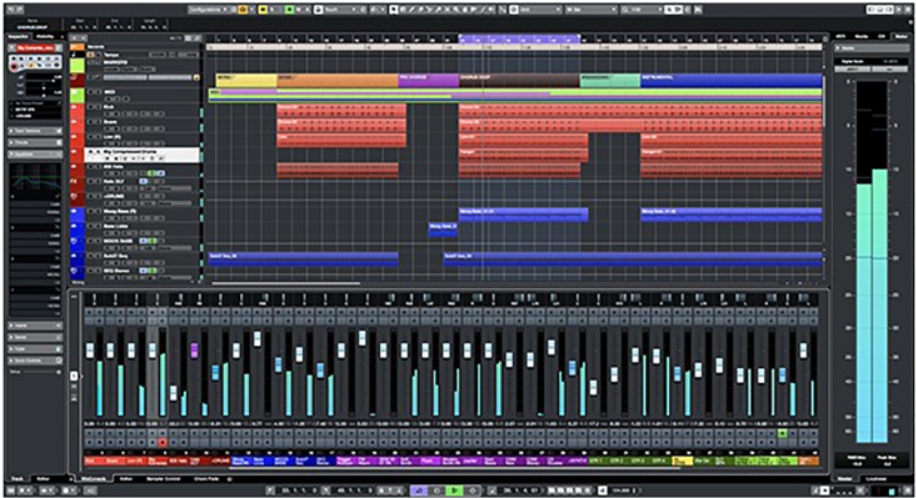
Can Any DAW Work for Any Genre?
Sure, you could use any DAW for any genre.
The question is: should you?
The usual problem with forcing a DAW into a genre is friction. Extra clicks. Workarounds. Slower creativity.
That doesn’t mean you need to switch constantly. It means choosing the right DAW wisely at the start saves years of frustration.
Price & Platform Comparison
| DAW | Price Range | Platform | Payment Model | Free Trial |
|---|---|---|---|---|
| Ableton Live | $99 – $749 | Windows, Mac | One-time purchase or subscription | 90 days |
| FL Studio | $99 – $499 | Windows, Mac | One-time (lifetime free updates) | Unlimited demo |
| Logic Pro | $199 | Mac only | One-time purchase | 90 days |
| Pro Tools | $99/year – $599/year | Windows, Mac | Subscription (perpetual license available) | 30 days |
| Cubase | $99 – $579 | Windows, Mac | One-time purchase | 30 days |
| Studio One | Free – $399 | Windows, Mac | One-time or subscription | 30 days |
| Reaper | $60 (personal) – $225 (commercial) | Windows, Mac, Linux | One-time purchase | 60 days (fully functional) |
| GarageBand | Free | Mac, iOS | Free with Apple devices | N/A |
| Bitwig Studio | $399 | Windows, Mac, Linux | One-time or subscription | 30 days |
One Rule That Always Holds True
The DAW you know best will always outperform the DAW you barely understand.
I’ve finished more tracks by sticking to one DAW than chasing new tools.
What Beginners Should Focus On First
Professionals advice beginners to “find their style” for a reason. Jumping between DAWs slows learning.
If you are just starting out:
- Pick one DAW aligned with your genre
- Learn it deeply
- Finish songs before chasing upgrades
Confidence grows faster that way.
Personal Experience Choosing the Right DAW
I’ve switched DAWs more times than I’d like to admit. Each switch felt exciting. Each switch slowed my output.
The biggest improvement came when I stopped switching and started mastering one tool. Suddenly, my genre didn’t matter as much. My workflow did.
That lesson stuck.
Final Thoughts on Choosing the Right DAW
As we see in the above, a lot of the high-end DAWs are suitable for almost all types of genres. But then we see specific DAWs such as Ableton Live that are more suitable for live performances and electronic music.
I’ve also noticed that the DAW you use is most effective in your genre if you know it inside out. That’s to say that the more familiar you are with the software you use, the more it will fit with your genre.
This is mostly why professionals advise beginners to “find their style” and stick to it. This way, beginners are more likely to enjoy their DAW and make music they actually enjoy.
FAQ
How do you choose a good DAW for music production?
Choose a DAW that matches your genre and feels easy to use. Workflow matters more than features.
How do I choose the right DAW?
Try a few options and stick with the one that feels natural. The right DAW should not slow you down.
Which DAW should a new producer use?
New producers should use a beginner-friendly DAW with strong tutorials. FL Studio, Logic Pro, and Ableton Live are common choices.
Which DAW is best for beginners?
There is no single best DAW. The best option is the one you enjoy using and are willing to learn.
How long should I stick with a DAW before switching?
At least a year of regular use. That gives you enough time to understand its workflow and decide if it fits your genre and style.
Can one DAW work for every music genre?
Yes, most modern DAWs can produce any genre. The real difference shows up in workflow speed. Some DAWs make certain styles easier and faster to create.