
As you progress with music production, mixing starts to separate polished tracks from amateur ones. I learned this the hard way. Early on, I blamed my DAW, my plugins, even my headphones. Truth is, the problem lived in my workflow.
Many producers rush mixing or skip it completely. Others mix with confidence but repeat the same mistakes every session. That combination quietly kills otherwise great songs.
Let’s walk through the most common DAW mixing mistakes I see, hear, and used to make myself. Some feel small. Some feel harmless. Together, they can wreck your sound.
Key Takeaways
- Small mixing mistakes stack up faster than most people realize
- Loud does not equal good, clarity always wins
- Simple habits inside your DAW can instantly improve your mixes
- Better decisions beat better plugins every time
Mistake #1: Letting Low-End Frequencies Run Wild
Let’s be honest. Nothing kills a professional mix faster than muddy bass frequencies fighting for space.
I’ve heard countless bedroom productions where the low end sounds like a swamp of rumble with no definition.
Uncontrolled low-end eats headroom and blurs clarity across the entire mix. Your ears struggle to separate elements because everything below 200Hz competes for attention. This shows up often in modern productions packed with subs and 808s.
I once mixed a hip-hop track where the artist wanted extreme sub-bass. It felt powerful in the studio, then collapsed on car speakers. The kick vanished.
Letting go of the “more bass is better” mindset fixed everything.
High-pass filtering creates space fast. Many instruments do not need low-end information to sound full.
| Instrument | High-Pass Filter? | Recommended Cutoff |
|---|---|---|
| Kick Drum | No or very low | 30 to 40Hz |
| Bass Guitar or Synth | No or very low | 40 to 60Hz |
| Vocals | Yes | 80 to 120Hz |
| Acoustic Guitar | Yes | 80 to 100Hz |
| Electric Guitar | Yes | 100 to 150Hz |
| Snare and Hi-Hats | Yes | 150 to 200Hz |
Mistake #2: Mixing at Ear-Damaging Volumes
The question is: why does your mix sound great at night and awful the next morning? Most of the time, you mixed too loud.
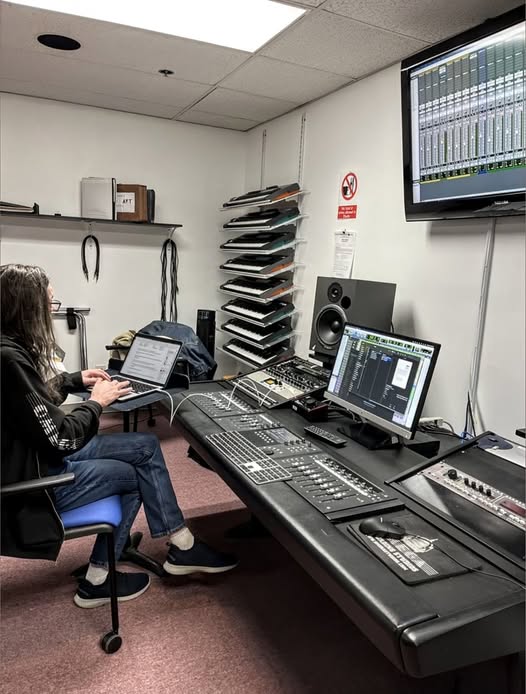
Loud playback tricks your ears. Everything feels exciting and balanced until you listen quietly and reality hits.
Vocals disappear. Bass overwhelms. Balance falls apart.
Professional engineers usually mix around conversational volume. You should talk comfortably without raising your voice. If you are shouting over the mix, it is too loud.
Healthy monitoring habits
- Mix quietly most of the time
- Briefly check louder levels
- Take listening breaks often
Lower volume reveals problems faster than any plugin.
Mistake #3: Ignoring Reference Tracks
One of the first things that come to mind when confronted with amateur mixes is the lack of reference comparison. Mixing without professional benchmarks is like driving without a map. You might get somewhere, but probably not where you intended.
Reference tracks are commercially released songs in your genre that sound professional. They show you what balanced frequency response, proper stereo width, and appropriate dynamics sound like. Loading a reference track into your DAW session gives you an instant reality check.
I personally like importing 2-3 reference tracks at the start of every mixing session. I’ll A/B between my mix and the reference frequently, checking if my low-end matches their weight, if my vocals sit at a similar level, and if my overall brightness compares favorably.
The good news is that you don’t have to reinvent the wheel. Professional mixing engineers have already solved the problems you’re facing.
Study how they balance elements, how wide they make their mixes, and how much dynamic range they preserve.
Effective reference workflow
- Choose tracks in the same genre
- Level match them to your mix
- Compare one element at a time
- Focus on balance, not loudness
Professionals already solved these problems. Learn from them.
Mistake #4: Mixing Only in Solo Mode
The solo button feels helpful but lies often. Tracks that sound perfect alone can clash badly together.
Listeners never hear soloed tracks. They hear everything at once. That reverb tail that sounded beautiful alone might smear the mix.
Fix problems in solo briefly. Apply changes in context.
When solo helps
- Finding noise or distortion
- Locating harsh frequencies
- Checking edits
When solo hurts
- EQ decisions
- Compression balance
- Reverb levels
Context always wins.
Make your EQ and compression decisions with the full mix playing. Solo the track briefly to identify a problem, then unsolo it immediately to apply the fix in context.
This approach ensures every change you make serves the overall mix, not just individual elements.
It’s tempting to perfect each track in isolation, but resist that urge. Music production is about how elements interact and support each other.
A bass guitar doesn’t need to sound perfect on its own if it locks perfectly with the kick drum in the full mix.
Mistake #5: Over-Processing Everything with Plugins
Having endless plugins feels powerful. Overusing them destroys life in your mix.
Stacking compressors, EQs, saturation, and reverb on one track often creates harshness and flat dynamics. More processing rarely means better sound.
Start by removing problems instead of adding color. If a plugin makes things worse, remove it.
| Processing Goal | Better Choice |
|---|---|
| Control dynamics | Light compression or automation |
| Add clarity | Subtractive EQ |
| Add excitement | Arrangement or automation |
| Add warmth | Subtle saturation |
Your ears matter more than your plugin folder.
Mistake #6: Not Taking Regular Mixing Breaks
Ear fatigue is real, and it’s silently sabotaging your mixes. After about 30-45 minutes of focused mixing, your ears start adapting to what you’re hearing. Problems become invisible. Poor decisions seem brilliant.
Athletes know it: the warm-up and recovery are just as important as the workout. The same applies to mixing. Your ears are muscles that tire out. Pushing through fatigue doesn’t make you more productive; it makes you make worse decisions that you’ll regret tomorrow.
Take a 10-15 minute break every 30-45 minutes. Step away from the studio entirely. Walk outside, grab coffee, look at something green. Your ears reset during these breaks, and you’ll return with fresh perspective.
The “next day test” is invaluable. Save your mix and don’t touch it until the following day. Come back with completely fresh ears and you’ll immediately hear issues you missed.
That snare you thought was perfect might be too loud. That reverb you loved might be too wet.
Mistake #7: Forgetting to Check Your Mix in Mono
Many playback systems sum audio to mono. If your mix falls apart there, it has phase issues.
Mono checks expose disappearing elements, hollow vocals, and weak bass.
Your kick, bass, and vocals should remain solid in mono. If not, adjust stereo width and phase relationships.
Checking in mono reveals phasing issues you can’t hear in stereo. If elements disappear or sound weird in mono, you have phase problems that need fixing.
Checking your mix in mono:
- Hit the mono button on your master fader regularly during mixing
- Kick and bass should remain solid and powerful in mono
- Vocals should stay centered and clear
- Watch for stereo-widening plugins causing phase cancellation
- Check doubled guitars and heavily panned elements for mono compatibility
- Adjust stereo width if critical elements vanish in mono
Mistake #8: Ignoring Gain Staging and Headroom
Digital clipping sounds terrible. That harsh, distorted crackle when your levels hit 0dBFS can’t be fixed in mastering. Proper gain staging throughout your signal chain prevents this disaster and gives the mastering engineer room to work.
The main point is that every stage of your mix should leave headroom for the next stage. If your individual tracks are peaking near 0dB, your master bus will clip once you sum everything together.
Gain Staging Target Levels
| Stage | Target Peak Level | Why |
|---|---|---|
| Individual Tracks | -12dB to -6dB | Prevents clipping when summed together |
| Group Buses | -10dB to -6dB | Room for bus processing |
| Master Bus (Pre-Mastering) | -6dB to -3dB | Clean headroom for mastering engineer |
| Plugin Input Levels | Varies by plugin | Optimal performance of analog models |
Mistake #9: Using Cheap Sounds and Samples
You’ve probably heard the age-old saying, “you can’t polish a turd.” This applies directly to sound selection. No amount of EQ, compression, or saturation will turn a low-quality sample into a professional sound.
Professional producers spend significant time and money building quality sample libraries. They know that starting with great sounds means less corrective processing later.
A well-recorded kick drum might need minimal EQ. A cheap, tinny snare sample requires extensive work and still sounds amateurish.
Just don’t fall into the “quantity over quality” trap. Having 10,000 mediocre samples is worse than having 100 excellent ones you know intimately.
Curate your collection, delete sounds you never use, and organize what remains so you can find the perfect sound quickly.
Mistake #10: Never Automating Your Mix
Static mixes feel lifeless because real music moves. Volume, energy, and emotion change constantly, yet many mixes stay frozen from start to finish.
Automation solves problems that plugins cannot. Instead of compressing a vocal harder, you ride it. Instead of widening everything, you create movement. Instead of boosting EQ permanently, you adjust it only where needed.
Volume automation alone can transform a mix. Riding vocals keeps lyrics clear without squashing dynamics. Bringing hooks forward adds excitement without increasing loudness.
Automation areas that matter most
- Vocal volume and phrasing
- Chorus lift and verse pullback
- Delay and reverb throws
- Instrument emphasis changes
| Automation Type | What It Improves |
|---|---|
| Volume | Clarity and emotion |
| Pan | Movement and interest |
| EQ | Section-specific balance |
| Effects | Depth and excitement |
Pan automation adds subtle motion. EQ automation fixes conflicts only when they happen. Effects automation creates moments listeners remember.
I treat automation as part of arranging, not fixing. It shapes the story of the song. Small moves matter more than dramatic ones.
Dynamic mixes feel intentional. Static mixes feel unfinished.
Summing Up
We can all agree that mixing is an important part of a finished, polished track. Even more important is the tools, effects and DAW you’re comfortable with.
I’ve noticed that using software you’re familiar with preserves your unique sound and gets you better mixes consistently. This becomes even better when you have mixing templates saved and ready to go for any mixing project.
Sometimes, you might need a professional to do the final mastering. But this does not mean you can’t learn and do your own mixing along the way.
Frequently Asked Questions
Why should you avoid mixing mistakes?
You should avoid mixing mistakes because they reduce clarity, destroy balance, and cause your song to sound weak or unprofessional on most playback systems.
What are the most common mixing mistakes?
The most common mixing mistakes are muddy low-end, mixing too loud, overusing plugins, skipping reference tracks, and ignoring automation and gain staging.
Can mixing mistakes ruin a good song?
Yes. Mixing mistakes can ruin a good song by making it sound amateur, fatiguing, or unclear, which causes listeners to disengage quickly.
Do better plugins prevent mixing mistakes?
No. Better plugins do not prevent mixing mistakes. Strong fundamentals like balance, monitoring level, and workflow matter more than expensive tools.
How do you fix mixing mistakes faster?
You fix mixing mistakes faster by mixing at lower volumes, using reference tracks, taking regular breaks, checking in mono, and simplifying your processing.