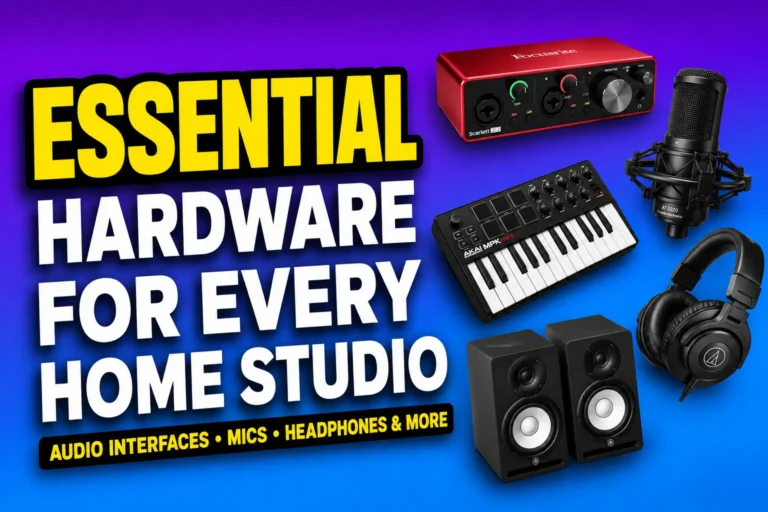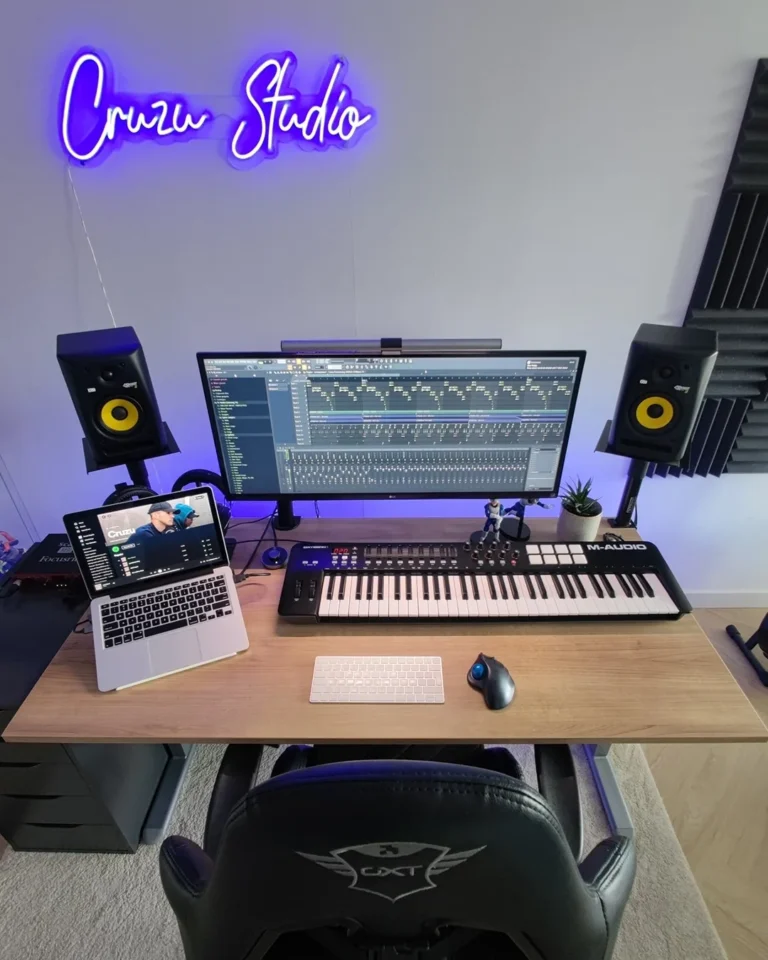

An audio interface is just one piece of hardware that is a must-have in a home studio setup. It allows all your outboard instruments and equipment to communicate with your DAW.
There are plenty of audio interfaces to choose from, as manufacturers keep releasing better, smarter gear. This is one of the things that beginners struggle with most.
On top of that, audio interfaces aren’t the cheapest piece of equipment around. This is why they sometimes become a barrier to entry for many enthusiasts.
But fret not. We’ve scoured the best audio interfaces and found some of the best under $200. These are tested and suitable for beginners and pros alike.
Let’s jump straight into it.
Key Takeaways
- Eight tested picks cover every budget and use case, from $50 portable units to $200 interfaces with MIDI and loopback.
- Your workflow matters more than your wallet. A streamer needs different features than a guitarist.
- Clean preamps and stable drivers beat flashy extras every time.
Quick Comparison Table
Prices shift often, so treat these as typical street pricing under $200 at the time of testing.
| Pick | Best For | Inputs/Outputs | Phantom Power | Connection | Price |
|---|---|---|---|---|---|
| Focusrite Scarlett 2i2 4th Gen | Best overall | 2-in/2-out | Yes | USB-C | $150-190 |
| Universal Audio Volt 2 | Best for vocals | 2-in/2-out | Yes | USB-C | $179-199 |
| Arturia MiniFuse 2 | Best for streaming | 2-in/2-out | Yes | USB-C | $199 |
| Audient EVO 4 | Best value | 2-in/2-out | Yes | USB-C | $129-162 |
| M-Audio M-Track Solo | Best portable | 1-in/2-out | Yes | USB-B | $50 |
| PreSonus AudioBox USB 96 | Best beginner | 2-in/2-out | Yes | USB-B | $95-100 |
| MOTU M2 | Best for guitar | 2-in/2-out | Yes | USB-C | $200 |
| PreSonus Studio 24c | Best premium feel | 2-in/2-out | Yes | USB-C | $98-150 |
Best Audio Interfaces Under $200
I tested each of these in real recording situations, not on a spec sheet. A few of these earned a strong opinion from me. A couple didn’t.
1. Best Overall: Focusrite Scarlett 2i2 4th Gen
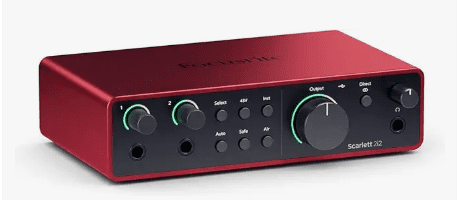
This is the interface I default to when someone asks me what to buy, and I don’t know anything else about their setup.
Auto Gain actually works, which surprised me the first time I tried it on a friend’s SM7B. Air mode is the kind of feature you’ll either love or never touch, I land somewhere in between.
If I’m honest, the 2i2 isn’t exciting. It’s just reliable, and most people overvalue exciting.
Key specs: 2 XLR/TRS combo inputs, 69dB gain, Auto Gain, Clip Safe, loopback, bus-powered USB-C.
Best for: Anyone who wants a balanced, no-fuss interface that just works.
Not ideal for: Producers who need MIDI I/O, since the 2i2 skips it.
2. Best For Vocals: Universal Audio Volt 2
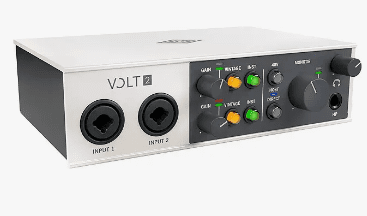
The Vintage mode is the whole pitch here, and it mostly delivers. Flip it on for a vocal take and you get a bit of that tube warmth without reaching for a plugin afterward.
I wouldn’t say it’s a dramatic transformation. It’s subtle, more of a nice-to-have than a reason to buy on its own.
Key specs: 24-bit/192kHz conversion, Vintage preamp mode, MIDI I/O, USB-C.
Best for: Singers and podcasters who want a touch of analog character.
Not ideal for: Anyone needing more than two simultaneous inputs.
3. Best For Streaming: Arturia MiniFuse 2
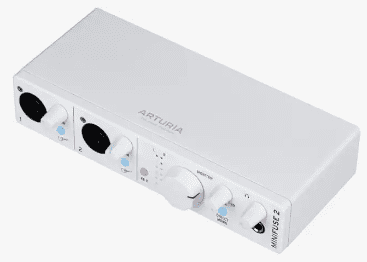
Loopback plus a built-in USB hub plus MIDI DIN, on a $199 interface, is a genuinely good deal.
I plugged a MIDI keyboard straight into the back without hunting for another port, which is a small thing that saved me an annoying trip to the cable drawer.
Key specs: 2-in/2-out, MIDI DIN I/O, 250mA USB-A hub, loopback, six LED meters.
Best for: Streamers and podcasters who want one box to handle everything.
Not ideal for: Minimalists who just want a plug-and-play mic input.
4. Best Value: Audient EVO 4
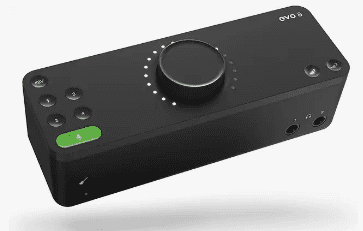
Smartgain sets your levels in under 20 seconds, and it’s not gimmicky, it’s actually useful when you’re recording alone with nobody to ride the gain for you.
At under $150 most days, this is the pick I’d hand a friend on a tight budget without hesitating.
One gripe: no MIDI. For a streaming or beat-making setup that’s a real limitation, not a footnote.
Key specs: 58dB gain, Smartgain auto-leveling, 113dB dynamic range, loopback, bus-powered.
Best for: Solo creators on a tight budget who still want pro-level conversion.
Not ideal for: Users who want MIDI connectivity built in.
5. Best Portable: M-Audio M-Track Solo
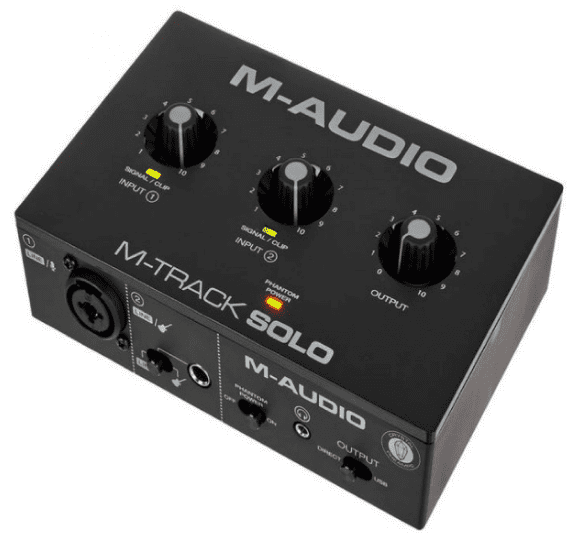
Cheap, small, and honestly a little basic. One input. 16-bit only. This is the interface for a backpack or a desk drawer, not your main rig.
I keep one in my travel bag and that’s exactly where it should stay.
Key specs: 1 combo XLR/line input, 1 instrument input, USB bus power, 16-bit/48kHz.
Best for: Mobile musicians and backup interfaces for travel.
Not ideal for: Anyone needing two simultaneous mic inputs or higher resolution.
6. Best Beginner Pick: PreSonus AudioBox USB 96
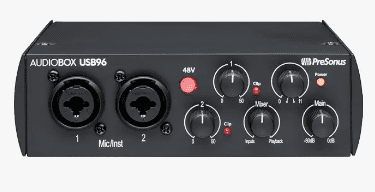
Heavy steel chassis, two inputs, a full Studio One Artist license. I’ve watched someone with zero recording experience get this running in under ten minutes, no manual required.
It’s not flashy and it doesn’t need to be.
Key specs: 2 Class-A preamps, 24-bit/96kHz, MIDI I/O, rugged steel build.
Best for: First-time podcasters and singer-songwriters who want zero learning curve.
Not ideal for: Producers who want USB-C or higher sample rates.
7. Best For Guitar And Instruments: MOTU M2
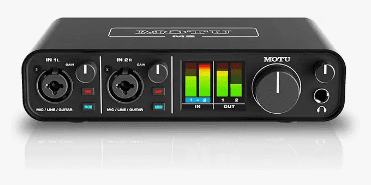
The M2 sits right at the $200 ceiling, and I think it earns the spot. ESS Sabre32 converters, the same tech in interfaces that cost ten times more, and independent direct monitoring per channel.
I recorded a dry guitar while monitoring a vocal through reverb at the same time, no extra software needed.
Key specs: 60dB gain range, ESS Sabre32 DAC, full-color LCD metering, MIDI I/O.
Best for: Guitarists and instrumentalists who want studio-grade clarity.
Not ideal for: Buyers on the lowest end of the budget, since it sits right at $200.
8. Best Premium-Feeling Pick Under $200: PreSonus Studio 24c
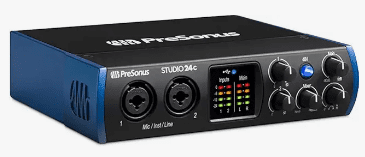
All-metal chassis, metal knobs, XMAX-L preamps borrowed from PreSonus’s pricier gear. It feels sturdier in hand than most interfaces twice its price.
One catch worth flagging: Sweetwater has stopped carrying it, though B&H and Amazon still do, so check stock before you build a whole shopping list around it.
Key specs: XMAX-L preamps, all-metal chassis, MIDI I/O, 24-bit/192kHz.
Best for: Buyers who want a sturdier feel without paying flagship prices.
Not ideal for: Shoppers who want same-day availability everywhere, since some retailers have phased it out.
How We Tested
We judged sound quality, preamp noise and gain range, latency, driver stability, direct monitoring, build quality, input flexibility, software value, setup ease, and DAW compatibility.
None of these tests happened in a vacuum. A model that’s excellent for vocals can be a poor fit for streaming, and that tradeoff mattered as much as the raw numbers.
What To Look For In An Audio Interface
Inputs And Outputs
Think about how many inputs you actually need. A solo vocalist or streamer often only needs one or two, while guitarists, podcasters, or anyone recording with a partner may want more.
Preamp Quality
Clean preamps matter because they affect vocal clarity and noise. A good budget interface should offer enough gain without sounding harsh or hissy, even when you push it.
Phantom Power
48V phantom power is needed for many condenser microphones. Not every creator needs it, but if you’re using a condenser mic, check that it’s included before you buy.
Direct Monitoring
Direct monitoring lets you hear yourself with less delay. This matters most for vocal recording and podcasting, where hesitation in your own ear throws off your performance.
Connection Type
USB-C, USB-A, and bus-powered options all show up on this list. Connection type matters less than driver stability and compatibility, but modern ports do add convenience.
MIDI And Loopback
MIDI matters for musicians connecting keyboards or controllers. Loopback matters for streamers who want to mix game or computer audio with their mic feed. Neither is essential for everyone, but both are worth checking if your workflow needs them.
Software And Drivers
Good drivers are a major quality factor, especially on Windows. Software bundles can add real value too, particularly if they include a usable DAW rather than just a stripped-down trial.
Best Use Cases
For Vocals
Clean gain, low noise, reliable monitoring. Stable drivers matter more here than almost anywhere else.
For Guitar
A strong hi-Z instrument input and enough headroom to avoid distortion. Direct monitoring helps you hear clean takes while you play.
For Podcasting
Easy setup, clear mic preamps, enough outputs for headphones or guests. Loopback helps with intro music and remote audio.
For Streaming
Streamers benefit from easy routing, loopback, and low-latency performance. If you’re using a headset mic or external mic, make sure the interface integrates cleanly with OBS or similar software.
For Beginners
Easy routing, loopback, low latency. Make sure your pick integrates cleanly with OBS or whatever you’re running.
FAQs
Is 24-Bit/192kHz Important?
It sounds impressive, but it’s not the main reason a great recording sounds great. Preamps, drivers, and mic choice usually matter more than raw resolution numbers.
Do I Need MIDI?
MIDI is useful for keyboards, pads, and certain production setups, but it’s not essential for everyone. If you’re not connecting hardware controllers, you can skip it.
Is USB-C Better Than USB-A?
USB-C is more modern and convenient, but performance depends more on the interface design and drivers than the port itself.
What Is Direct Monitoring?
It lets you hear your input with little or no delay, which matters most when recording vocals or instruments in real time.
Can I Use An Audio Interface With OBS, FL Studio, Or Ableton?
Yes, as long as drivers are installed correctly and settings are configured properly.
What Is The Best Audio Interface For Beginners Under $200?
The one with simple controls, stable drivers, and a clean preamp. Not the one with the most features.
How Many Inputs Do I Need?
One input is enough for solo creators, two inputs work for most small setups, and more inputs help if you’re recording guests or multiple mics at once.
Final Recommendation
Picking the best audio interfaces under $200 comes down to your workflow, not just your budget.
Here’s where I’d point you first:
- Best overall: Focusrite Scarlett 2i2 4th Gen.
- Best value: Audient EVO 4.
- Best for vocals: Universal Audio Volt 2.
Choose based on your main workflow rather than just the lowest price. A slightly more expensive interface is often worth it if it gives you cleaner sound, better drivers, or a more useful feature set down the line.
It’s easy for new producers to get sucked into buying the most expensive interface only to find out they need more hardware to support it.
Planning and keeping an eye on your budget goes a long way toward choosing the best audio interface for your setup.
I’ve noticed there’s a sweet spot between cost and quality. The cheaper you go, the more issues you’ll have with the interface, and the pricier you go, the more you’ll spend on add-ons.
But simply put, an audio interface will likely be one of the first few pieces of hardware you’ll purchase.