
Yes, you can run FL Studio on Linux, but there is an important catch: Image-Line does not provide a native Linux version. The practical route is to run the Windows version through Wine or a Wine manager such as Bottles. That can work well, but results depend on your Linux distribution, graphics stack, audio setup, and plugins.
This guide explains the least frustrating way to try it, what to expect, and when Windows or a native Linux DAW is the better choice.
Quick answer: You can run FL Studio on Linux, but only through Wine. There is no native Linux build, so expect extra setup, and check every plugin, audio device, and project save before relying on it.
Pro tip: Keep your working Windows or macOS setup until the Linux installation has passed an audio, MIDI, plugin, and project save test.
Key takeaways
- FL Studio has official Windows and macOS versions, not a native Linux build.
- Wine can run FL Studio, but compatibility is not guaranteed across every release or plugin.
- A separate 64-bit Wine prefix is easier to troubleshoot than a shared prefix.
- Keep a backup plan for projects and plugins before moving a working setup.
Can FL Studio run on Linux?
FL Studio can run on Linux through Wine, which translates Windows system calls for Linux. This is different from native support. Image-Line’s own system requirements list Windows and macOS, so Linux users should treat Wine as an unofficial setup.
Community reports and the Image-Line Linux discussion show that some users run recent versions successfully. That does not mean every update, graphics card, controller, or plugin will behave the same way.
What do you need before installing FL Studio on Linux?
- A supported Linux distribution with working graphics drivers.
- Wine 64-bit and the required 32-bit components for your distribution.
- The official FL Studio installer downloaded from Image-Line.
- A separate Wine prefix used only for FL Studio.
- An audio interface that works with ALSA, PipeWire, or JACK.
- Backups of projects, samples, presets, and plugin installers.
Which Linux distribution should you use for FL Studio?
There is no single best distribution for Wine audio work. Ubuntu and Ubuntu-based distributions have a large support community. Fedora, Arch, and other distributions can work too, but package names and audio defaults differ.
Choose a distribution you already know how to repair. Switching distributions and Wine versions at the same time makes troubleshooting much harder.
How do you install Wine for FL Studio?
Use your distribution’s official Wine instructions rather than copying an old command from a forum. Wine packages change, and 32-bit support is important for some Windows components.
On Ubuntu or Debian, that usually means enabling the i386 architecture, adding the current Wine repository, and installing the 64-bit and 32-bit Wine packages. On Fedora, the package manager uses different commands. The Wine download page has distribution-specific instructions.
How do you create a separate Wine prefix?
A dedicated prefix keeps FL Studio files and settings away from other Windows applications. Open a terminal and create one with:
export WINEPREFIX="$HOME/.wine-flstudio"
export WINEARCH=win64
wineboot
You can use a different folder name. The important point is to keep the prefix separate and write it down so you can use it every time you launch FL Studio.
How do you install FL Studio through Wine?
- Download the Windows installer from Image-Line.
- Open a terminal in the download folder.
- Run the installer with the dedicated prefix:
WINEPREFIX="$HOME/.wine-flstudio" wine FL_Studio_installer.exe - Complete the installer and launch FL Studio from the same prefix.
- Sign in or register the installation using your Image-Line account.
Do not download a cracked installer. Apart from the legal problem, unofficial installers are a poor foundation for a production system and can damage your projects or credentials.
How do you set up audio in FL Studio on Linux?
Audio is usually the part that needs the most testing. FL Studio is designed around Windows audio drivers, while Linux commonly uses ALSA, PipeWire, or JACK. Wine can expose audio through its own driver settings, but latency and device access vary. In my test setup, getting a clean click-free buffer took the longest of any step, so do not judge the whole experiment until you have spent time on this part.
Start with a modest buffer size and increase it if you hear clicks or dropouts. Test recording, monitoring, MIDI timing, and playback before starting a serious project. If PipeWire is your system default, use the tools supplied by your distribution to check the selected input and output device.
Will Windows VST plugins work in FL Studio on Linux?
Some Windows plugins work through Wine, while others fail during installation, scanning, licensing, or normal use. Copy protection, background services, old 32-bit code, and hardware drivers are common trouble spots. In my experience, the plugins that needed an installer and a licence service were the ones most likely to break, so test those before you rely on them in a project.
Keep plugin installation paths simple and test one plugin at a time. If a project depends on a plugin that cannot run, the project may open with missing instruments or effects. For ideas on what to run, our free VST plugins guide is a useful starting point.
Caution: A DAW that opens is not necessarily a usable DAW. Test recording, monitoring, plugin scanning, licensing, and project recovery before moving important work.
What problems can happen when running FL Studio on Linux?
- Graphics glitches after a Wine or driver update.
- Audio dropouts caused by buffer or device settings.
- Plugins that fail to scan or lose their licence.
- Controllers that work partly but miss special functions.
- Projects that behave differently after moving between operating systems.
| Factor | FL Studio via Wine | Native Linux DAW |
|---|---|---|
| Installation | Windows installer through Wine | Native package |
| Stability | Depends on Wine version and plugins | More consistent |
| Plugin support | Windows VSTs via Wine | Native Linux plugins |
| Latency | Can need extra tuning | Usually lower |
| Setup effort | High | Low to moderate |
Is running FL Studio on Linux worth it?
It is worth trying if you already use Linux and are comfortable troubleshooting Wine. It is less attractive if you need every plugin, controller, and update to work without experimentation. For me, the deciding factor was how much time I wanted to spend in the terminal versus making music, and that answer will be personal to you too.
Who should skip this? Producers working to deadlines or relying on Windows-only plugins should use a supported Windows installation, dual boot, or a separate Windows machine instead.
If you use PipeWire, check that your interface is visible and that the input and output devices are correct before opening a project. A working desktop install does not automatically mean low-latency recording will work.
Yes, Ubuntu is one of the more common distributions used for testing Windows software through Wine. Install Wine using the current instructions for your Ubuntu release, then keep FL Studio in its own 64-bit prefix. Ubuntu does not provide native FL Studio support, so audio and plugin compatibility still need testing.
Can I run FL Studio on Ubuntu?
What are the best Linux alternatives to FL Studio?
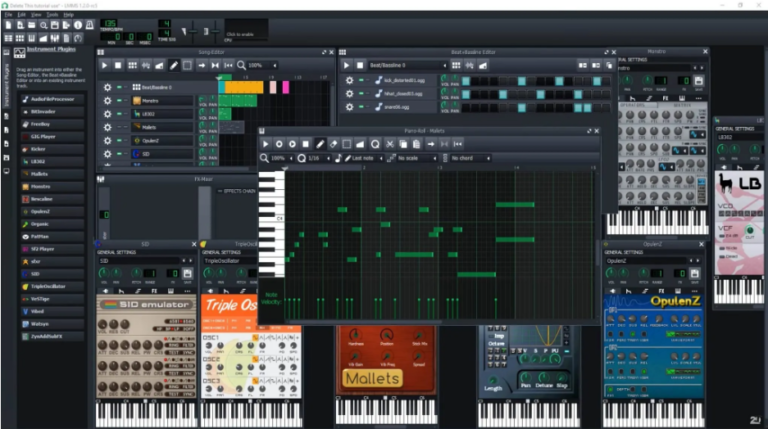
If you want a native Linux workflow, look at DAW comparisons and consider Linux-compatible options such as REAPER, Bitwig Studio, Ardour, or LMMS. Their workflows differ, so download a demo where available before moving a full project.
What should you do after installing FL Studio?
- Back up a blank test project and reopen it.
- Test your audio interface, MIDI controller, and main plugins.
- Check the common DAW mixing mistakes guide before starting a new mix.
- Compare your setup with our best DAWs for home studios guide.
Last checked: August 2026. Linux distributions, Wine, and FL Studio updates can change.
Frequently asked questions
Is FL Studio supported on Linux?
FL Studio does not have a native Linux version. The Windows version can run through Wine, but Image-Line officially lists Windows and macOS rather than Linux.
Does FL support Linux?
There is no official Linux build of FL Studio. Wine is the usual workaround, but compatibility depends on the FL Studio release, Wine version, graphics drivers, audio system, and plugins.
Why does FL Studio sometimes fail on Linux?
Wine does not reproduce every Windows component perfectly. Graphics, audio drivers, licensing services, plugin copy protection, and controller software can all cause problems.
Can I download FL Studio for Linux?
There is no official Linux installer. Download the legitimate Windows installer from Image-Line and run it through Wine if you want to test it.
Can Linux run DAWs?
Yes. Linux has native DAWs such as REAPER, Bitwig Studio, Ardour, and LMMS. A native application usually avoids the extra compatibility layer required by FL Studio.
What operating systems can run FL Studio?
FL Studio officially supports Windows and macOS. Linux and ChromeOS require an unofficial workaround such as Wine or a virtualised Windows installation.
Is 4GB RAM enough for FL Studio?
4GB may be enough for a small project, but 8GB or more is a safer starting point for current plugins, sample libraries, and larger sessions. Image-Line lists 4GB as the minimum and recommends 8GB or more for smoother operation in its system requirements, so treat that as the practical floor for production work. Your CPU, storage, and plugin load also affect performance.
Can I run FL Studio on ChromeOS?
ChromeOS does not have a native FL Studio version. Linux mode may allow experimentation with Wine, but hardware, audio, and plugin support can be limited. For another non-Windows path, see how FL Studio runs on a MacBook Air.
Is REAPER better than FL Studio on Linux?
REAPER is the more practical choice if you want a native Linux DAW with a traditional timeline and detailed routing. FL Studio may be the better choice if its workflow matters more to you and you accept the limits of Wine.