
There is no native Linux version of Cubase. Steinberg provides Cubase for Windows and macOS, and the official Cubase product information does not list Linux as a supported operating system.
Some users have tried older Cubase releases with Wine, but that is not a dependable route for a current production system. If Cubase is essential to your work, a Windows installation, dual boot setup, or separate Windows computer is usually less frustrating than trying to force it through Linux. Before deciding, it helps to weigh the DAW choice itself, as our guide to choosing the right DAW explains.
Quick answer: Cubase does not have a native Linux version, and Wine is unreliable for current releases. For dependable sessions, use Windows, dual boot, or a separate machine, or switch to a native Linux DAW.
Pro tip: Keep your working Windows or macOS setup until the Linux installation has passed an audio, MIDI, plugin, and project save test.
Key takeaways
- Cubase does not have a native Linux version.
- Wine support is inconsistent and can be affected by licensing, drivers, and Steinberg services.
- Modern Cubase projects may depend on components that do not behave correctly through Wine.
- REAPER and Bitwig Studio are more practical options for a native Linux workflow.
Can Cubase run on Linux?
Cubase may start under some Wine configurations, especially older releases, but starting the program is not the same as having a reliable studio system. Audio production depends on stable drivers, low latency, plugin scanning, licence services, project compatibility, and dependable updates.
Wine AppDB reports and community discussions show mixed results across versions. The older Wine Application Database can be useful for research, but old ratings should not be treated as confirmation that a current Cubase release works.
Does Steinberg officially support Cubase on Linux?
No. Linux is not listed as an official Cubase platform. That means Steinberg support may ask you to reproduce a problem on Windows or macOS before troubleshooting it.
Caution: A DAW that opens is not necessarily a usable DAW. Test recording, monitoring, plugin scanning, licensing, and project recovery before moving important work.
Why is Cubase difficult to run through Wine?
Cubase is more than a single executable. It can depend on audio drivers, licence services, Steinberg Activation Manager, MediaBay, graphics components, plugins, and copy protection. A Wine prefix may handle one part while another part fails.
Audio drivers are another issue. Linux commonly uses ALSA, PipeWire, or JACK, while Cubase is built around Windows driver models such as ASIO. Wrapping one system around the other can introduce latency, missing devices, or unstable monitoring. In my testing, stable low-latency audio was the hardest thing to reproduce through Wine, so treat it as the main risk before committing a project.
Can you install Cubase with Wine?
You can experiment with an older installer in a separate Wine prefix, but I would not present this as a current, dependable installation method. Do not use pirated installers or licence workarounds. They create legal and security problems, and they make troubleshooting less useful.
- Back up your projects and licence information.
- Check the exact Cubase version against current Wine reports.
- Create a disposable 64-bit Wine prefix.
- Test the installer and licence manager before moving any working projects.
- Test audio input, monitoring, MIDI, plugins, and project saving.
If any of these fail, stop there. A DAW that opens but cannot record, monitor, or save reliably is not a usable studio setup.
Will Cubase plugins work on Linux?
There is no guarantee. Windows VST plugins may require their own installers, licence services, fonts, drivers, or copy protection. Even if Cubase scans a plugin, the plugin may crash, lose its licence, or behave differently during a session. In my experience, plugin licensing was the biggest point of failure, so plan around that before you build a template around Windows-only instruments.
Native Linux plugins are not automatically a solution because Cubase itself is not a native Linux application. A native Linux DAW is usually a better match for native Linux plugin formats and audio tools.
What is the best way to use Cubase on a Linux computer?
If you must use Cubase, keep it on Windows or macOS and use Linux for other work. Your options include dual boot, a separate Windows drive, a dedicated Windows computer, or remote access to a Windows machine with the audio hardware connected there.
A virtual machine is usually a poor choice for live recording because USB audio, low latency, graphics, and plugin performance can become difficult. It may be acceptable for opening an old project or exporting stems, but test it before relying on it.
What are the best Linux alternatives to Cubase?
REAPER is a strong option for users who want a traditional timeline, detailed routing, and broad plugin support. Bitwig Studio has an official Linux version and suits electronic production, sound design, and clip-based work. Ardour is another native option for recording and mixing. If you are comparing free options first, our free DAWs for beginners guide helps you start. Start with the DAW selection guide if you are comparing workflows.
Read the DAW selection guide before moving a complete project. You may also want to compare DAWs for Windows and Mac if you are open to using a supported operating system.
| Option | Reliability | Latency | Setup effort |
|---|---|---|---|
| Cubase via Wine | Low | Poor | High |
| Dual boot / separate Windows PC | High | Good | Moderate |
| Virtual machine | Low | Poor | High |
| Native Linux DAW (REAPER, Bitwig) | High | Good | Low |
Is Cubase on Linux worth the effort?
For most producers, no. The time spent solving compatibility problems can outweigh the benefit of keeping Cubase on Linux. If Cubase is central to your workflow, use it on a supported platform and avoid the common DAW mixing mistakes that trip up new setups. For me, the effort only made sense as a learning exercise, not as a reliable production setup.
Who should skip this? Producers who need dependable sessions, current Steinberg support, or a large commercial plugin collection should skip the Wine route and use Windows or macOS.
What should you check before choosing a Linux DAW?
- Does the DAW have a native Linux build?
- Does it support your audio interface and MIDI hardware?
- Can it load the plugins you actually use?
- Can it open or export the project formats you need?
- Does its workflow suit recording, mixing, beatmaking, or live work?
Frequently asked questions
Does Cubase work on Ubuntu?
Cubase has no native Ubuntu version. Some users experiment with Wine, but current compatibility is not dependable enough to treat it as official support.
Can Cubase run on Linux Mint?
Linux Mint does not change Cubase’s platform support. You may be able to test an older release through Wine, but drivers, licensing, and plugins remain significant obstacles.
Can you run Cubase through a virtual machine?
You may be able to open Cubase in a virtual machine, but live audio performance can suffer from latency and device passthrough problems. A separate Windows installation is usually safer.
Is REAPER a good Cubase alternative on Linux?
REAPER is one of the more practical alternatives for Linux users who want a traditional DAW with detailed routing and recording tools. Try it with your interface and main plugins before moving a full project.
Is Bitwig available for Linux?
Yes. Bitwig Studio provides a Linux version. Check its current system requirements and plugin support before buying.
What is the easiest Linux DAW for a Cubase user?
REAPER is often the closest starting point for a traditional timeline workflow, while Ardour and Bitwig offer different approaches. The best choice depends on your plugins and the way you record.
How much RAM does Cubase require?
Check the requirements for your exact Cubase version because Steinberg changes them over time. For a modern project with instruments and effects, 8GB is a practical starting point, while 16GB or more gives larger sessions more room. Steinberg states 8GB as the minimum RAM and recommends 16GB for comfortable use with sample libraries and effects in its Cubase system requirements.
How do you install Cubase on Ubuntu?
There is no supported Ubuntu installer for Cubase. You can experiment with Wine, but a Windows installation is the more dependable route for current Cubase projects.
Is any version of Cubase free?
Cubase does not have a permanent full version that is free. Steinberg may offer limited editions, trials, or promotional versions, so check the official Cubase site for current terms.
What is a good open-source alternative to Cubase on Linux?
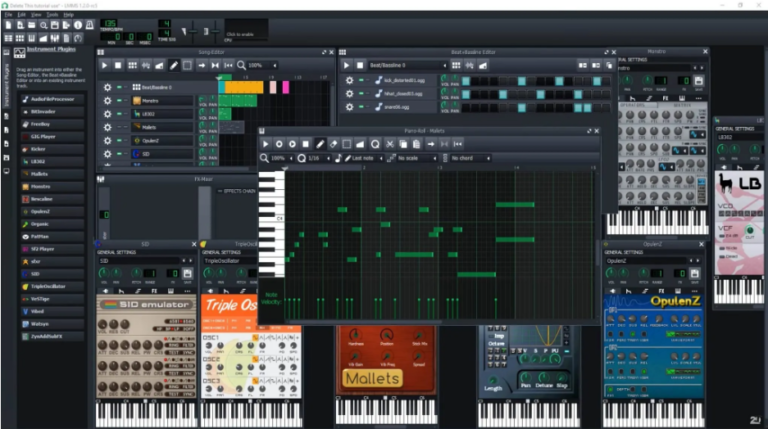
Ardour is a strong open-source option for recording and mixing. Qtractor and LMMS cover different workflows, while REAPER and Bitwig are commercial options with Linux support.
Which is better, FL Studio or Cubase?
Neither is universally better. FL Studio suits pattern-based production and beatmaking, while Cubase is built around recording, arrangement, MIDI, and mixing. On Linux, both require compromises because neither has native Linux support. For another comparison that matters to many users, see Studio One vs Logic Pro.
Last checked: August 2026. Cubase, Wine, Linux distributions, and plugin support can change.